
Download Pixlr Editor – free online photo editor, powerful image editing tool
Overview
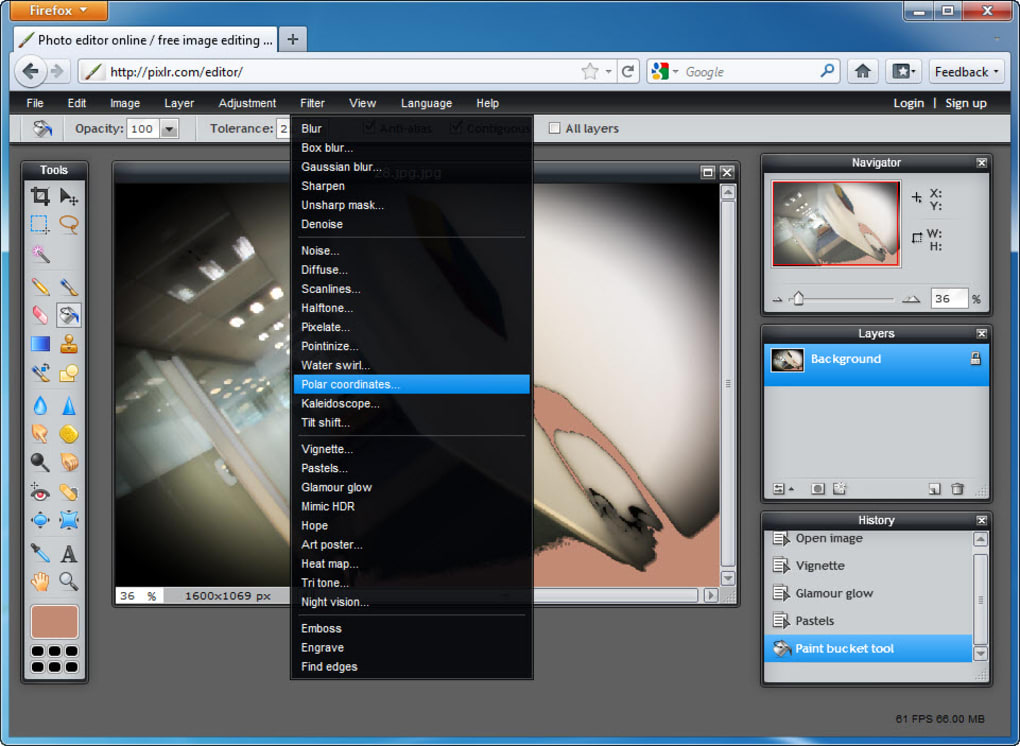
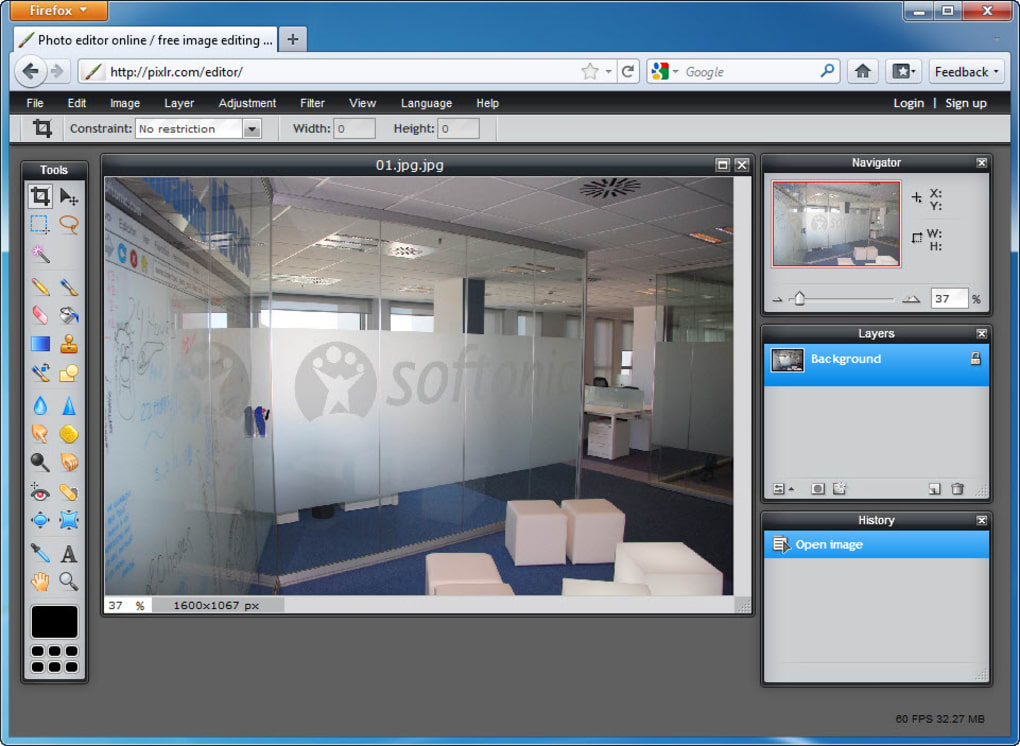
Pixlr Editor is a fully‑featured, browser‑based image editor that brings many of Photoshop’s core capabilities to a free, secure online environment. From the moment you launch the app in any modern web browser, you’ll notice a familiar layout: floating toolbars, layer panels, real‑time preview, and a rich set of selection tools. What sets Pixlr apart is its intuitive interface that feels lighter than Photoshop while still offering advanced features such as layer masks, adjustment layers, and a library of one‑click effects like HDR, tilt‑shift, and kaleidoscope.
Whether you import photos from your hard drive, pull images directly from social platforms like Facebook, Picasa, or Flickr, or start a canvas from scratch, Pixlr Editor gives you the freedom to edit without installing a single program. The tool also supports multiple open documents, making it a handy companion for quick batch edits or comparative work, although opening many large files may affect performance on older machines. In short, if you need a reliable, feature‑rich photo editor that runs entirely in the cloud, Pixlr Editor is an excellent alternative to traditional desktop software.
Key Features That Make Pixlr Stand Out
- Layer‑Based Editing: Unlimited layers, layer groups, and masks give you pixel‑perfect control.
- Advanced Selection Tools: Magic Wand, Lasso, Pen, and Color Range selections with feathering and refinement options.
- One‑Click Effects: Over 30 preset effects such as HDR, tilt‑shift, pixelate, and kaleidoscope that can be applied instantly.
- Adjustments & Filters: Curves, Levels, Hue/Saturation, Color Balance, Gaussian Blur, Sharpen, and more.
- Smart Object Support: Import smart objects for non‑destructive scaling and transformation.
- Integrated Stock Library: Access royalty‑free images directly from the editor for quick composites.
- Export Options: Save to JPEG, PNG, BMP, TIFF, and PSD while preserving layers for later editing.
- Cross‑Platform Accessibility: Runs on Windows, macOS, Linux, Android, and iOS browsers without any installation.
- Secure Cloud Storage: Optional account sync lets you store projects safely and retrieve them from any device.
- Frequent Updates: The development team releases new tools, filters, and performance improvements every month.
Installation & Usage – Getting Started in Minutes
Because Pixlr Editor is a web‑based application, there is no traditional installation process. Follow these simple steps to start editing right away:
- Open a Supported Browser: Launch Chrome, Firefox, Edge, Safari, or any modern browser that supports HTML5 and WebGL.
- Navigate to the Official Site: Go to pixlr.com/editor. The site will automatically detect your device and load the optimal version of the editor.
- Sign In (Optional): Create a free Pixlr account or log in with Google/Facebook to enable cloud saving, project history, and premium filters. You can also use the editor anonymously, but your work will be stored locally until you download it.
- Upload or Create a Canvas: Click “Open Image” to import a photo from your computer, paste an image URL, or select a file from connected cloud services. To start from scratch, choose “Create New” and specify dimensions, background color, and resolution.
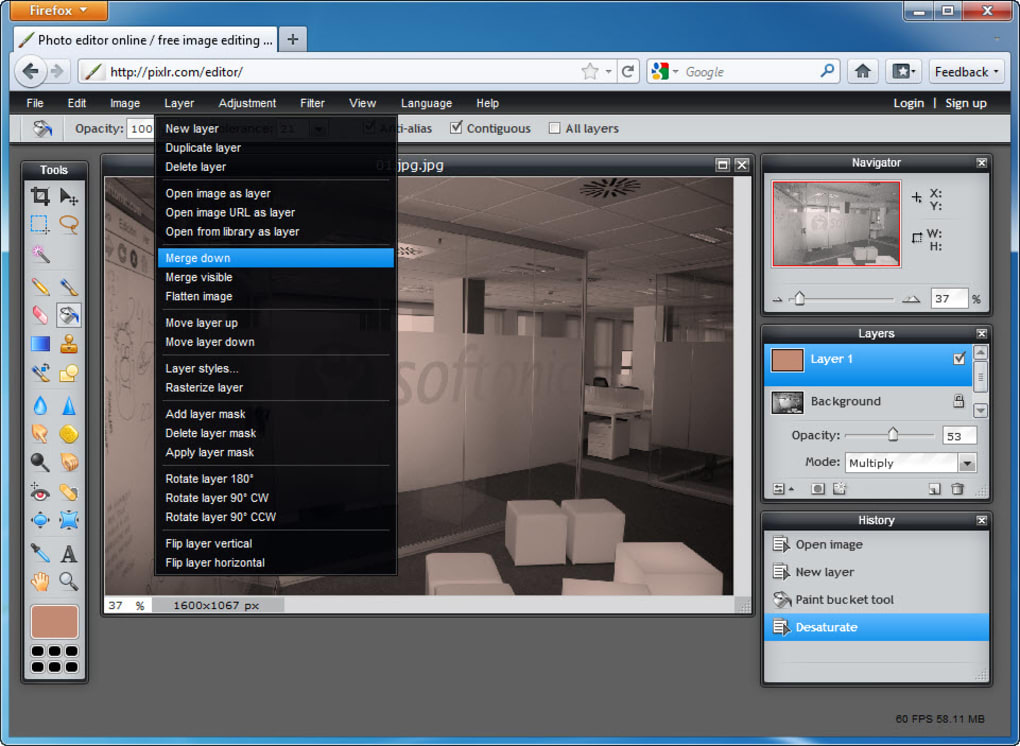
- Familiarize Yourself with the UI: The left toolbar houses drawing, selection, and transform tools. The right side displays layers, history, and adjustment panels. Hover over icons for tooltip explanations.
- Edit Your Image: Use layers to separate elements, apply masks for selective edits, and experiment with filters from the “Effects” menu. Remember to use non‑destructive adjustment layers whenever possible.
- Save or Export: When you’re satisfied, click “File → Save”. Choose a format, adjust quality settings, and either download the file to your device or save it to your Pixlr cloud library.
For power users, Pixlr also supports keyboard shortcuts similar to Photoshop (e.g., Ctrl+Z for undo, B for brush, V for move). The editor automatically saves your work every few seconds, minimizing the risk of data loss. If you encounter performance issues, try closing unused tabs, reducing canvas size, or clearing the browser cache. Overall, the setup is virtually frictionless, making Pixlr Editor an ideal solution for quick edits on the go or more extensive design projects.
Compatibility, Pros & Cons – Is Pixlr Right for You?
Pixlr Editor runs in any modern web browser, which means it is compatible with Windows 10/11, macOS 10.15+, Linux distributions, as well as mobile browsers on Android 8+ and iOS 13+. Because the application leverages HTML5 canvas and WebGL, you’ll experience smooth performance on devices with hardware acceleration enabled. Users on older browsers may see reduced functionality (e.g., missing filter previews), but the core editing tools remain accessible.
Pros
- No Installation Required: Immediate access from any device with an internet connection.
- Rich Feature Set: Layers, masks, adjustment layers, and a comprehensive filter library rival desktop alternatives.
- Free & Secure: The basic version is free, ad‑supported, and runs over HTTPS, ensuring encrypted data transfer.
- Cross‑Platform Consistency: Same UI and tools across Windows, macOS, Linux, Android, and iOS browsers.
- Frequent Updates: New tools and performance improvements are pushed automatically.
- One‑Click Effects: Quickly enhance photos with HDR, tilt‑shift, or artistic styles without manual tweaking.
Cons
- Performance Limits: Heavy files or multiple open canvases can slow the browser, especially on low‑end devices.
- Internet Dependency: While you can work offline after the initial load, certain features (cloud storage, stock library) require connectivity.
- Limited Export Options: Advanced formats like RAW or CMYK are not supported, which may be a drawback for professional print workflows.
- Ads in Free Version: The free tier displays non‑intrusive ads; a premium subscription removes them and unlocks additional filters.
- No Native Plug‑in Support: Unlike Photoshop, Pixlr cannot load third‑party plug‑ins or scripts.
Overall Rating: 4.5/5 – Pixlr Editor delivers a surprisingly powerful set of tools for a free, browser‑based solution, making it an excellent choice for hobbyists, educators, and professionals who need quick access without the overhead of installing heavy software.
Frequently Asked Questions
Is Pixlr Editor completely free?
Pixlr offers a free tier that includes all core editing tools, layers, and one‑click effects. The free version is ad‑supported. For an ad‑free experience and access to premium filters, you can upgrade to Pixlr Pro, which is a low‑cost subscription.
Can I work offline with Pixlr?
After the initial load, basic editing functions remain usable offline, but features that rely on cloud storage, the stock image library, or premium filters require an internet connection.
Does Pixlr support PSD files?
Yes, Pixlr can import and export Photoshop PSD files while preserving layers. However, some advanced layer effects or adjustment layers may be flattened during the conversion.
What browsers are recommended for the best performance?
Google Chrome, Microsoft Edge, and Mozilla Firefox are the most optimized browsers for Pixlr, thanks to their robust WebGL and HTML5 support. Safari works well on macOS, but some advanced filters may render slower.
Is my data safe when I use Pixlr’s cloud storage?
Pixlr uses HTTPS encryption for all data transfers and stores projects on secure servers. Your login credentials are protected by industry‑standard hashing, and you can delete stored projects at any time from your account dashboard.
Conclusion – Give Pixlr Editor a Try Today!
Pixlr Editor proves that you don’t need a heavyweight desktop suite to produce professional‑grade graphics. Its combination of layer‑based editing, powerful selection tools, and an ever‑growing library of one‑click effects makes it a versatile choice for anyone from casual social‑media creators to seasoned designers. Because it runs directly in your browser, you can start editing instantly on any device, and the free tier already provides more than enough features for most everyday tasks.
While there are some limitations—such as performance on very large files and the need for an internet connection for premium features—these are outweighed by the convenience, cross‑platform accessibility, and regular updates. If you’re looking for a secure, fast, and cost‑effective solution to replace or supplement Photoshop, give Pixlr Editor a spin today. Download Pixlr Editor now and unleash your creativity without the hassle of installations or licensing fees.



.png)



